
Account — your details and password
In Settings you manage your account, team, plan and payments. This page covers the Account section — where you see your details and change your password. The other sections (team, plan, usage, appearance) are documented separately.
Your details#
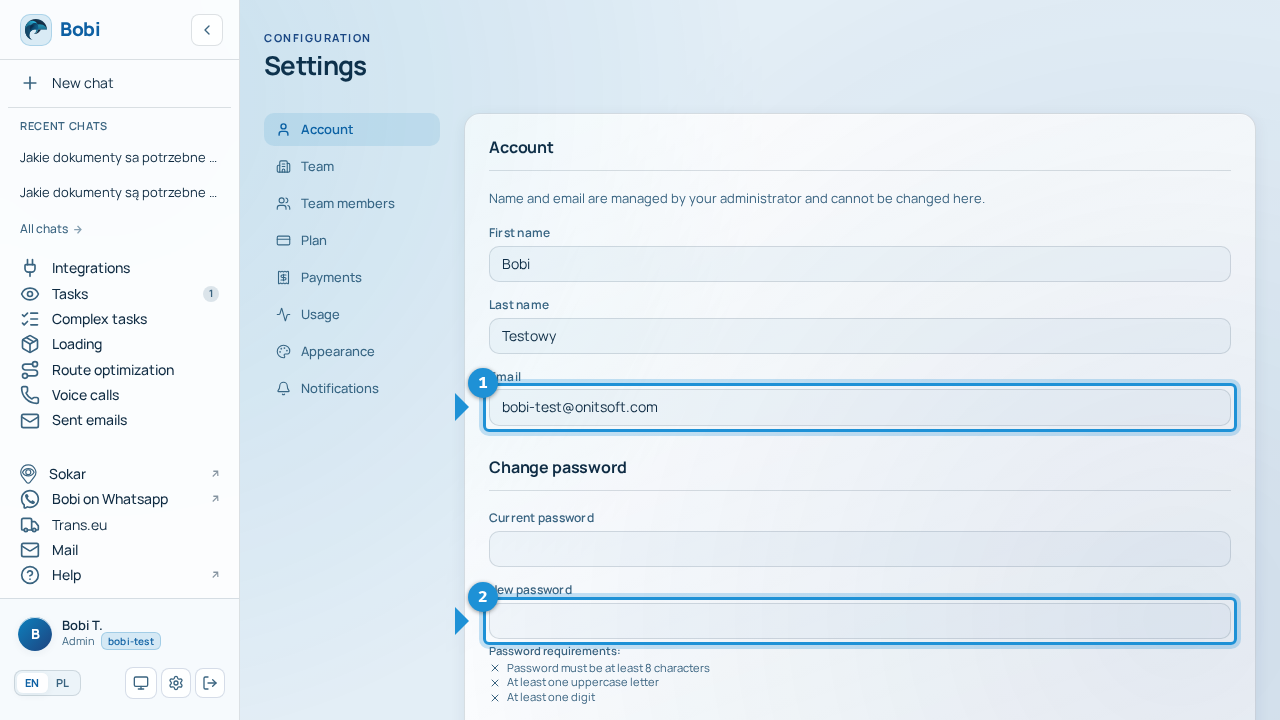
The Account section shows your first name, last name and email address.
Your details are read-only
Your name and email address are managed by your administrator and cannot be changed here. If any of them needs updating, ask your team's administrator.
Change your password#
You change your password yourself in the same section.
- Enter your current passwordType the password you use right now.
- Enter a new passwordType your new password.Password strength meterBelow the field you'll see a password strength meter — it tells you whether your new password is strong enough.
- Repeat the new passwordType the new password again to confirm there's no typo.
- Click “Update password”Confirm the change — you'll see a confirmation that your password has been updated.
Forgot your current password?
Changing your password requires your current one. If you don't remember it, sign out and use “Forgot password” on the login screen — we describe it under Sign up and log in.