
Integrations — troubleshooting & permissions
If an integration stopped working or you can't change it, start here. Below you'll find the states each integration card can show, who on your team can manage them, and how to revoke access when you need to.
Card states#
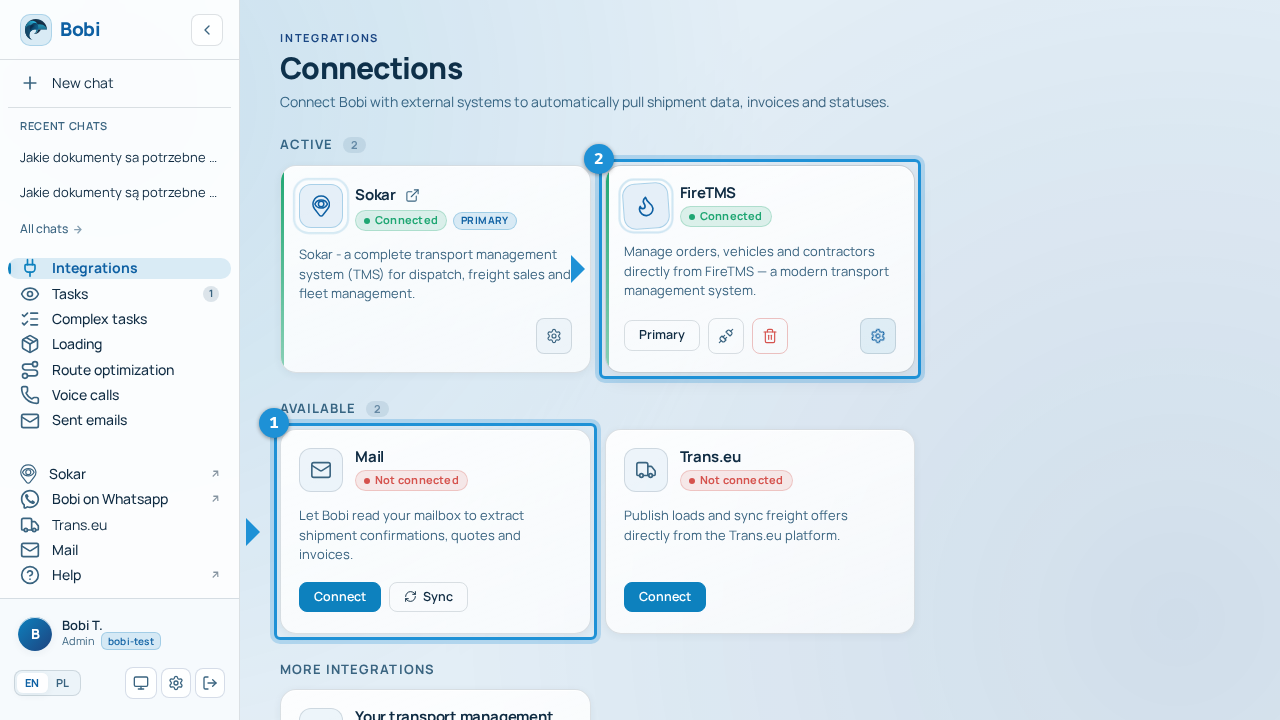
Every integration has its own card on the „Integrations” screen, and its appearance tells you at a glance what state it's in.
| State | What it means | What to do |
|---|---|---|
| Connected | The integration works — Bobi is using it. The card has a green marker. | Nothing. Everything's fine. |
| Not connected | The integration isn't set up yet. | Click „Connect” and go through the setup. |
| Connection expired | Applies to email — Bobi lost access to the mailbox and shows a „Mailbox connection expired” banner. | Click „Reconnect” to resume syncing. |
| Key added long ago | Applies to FireTMS — more than 30 days have passed since the key was added, so a warning icon appears on the card. | Check whether the key still works and paste a new one if needed. |
Who can manage integrations#
Not everyone on the team can change integrations. Connecting, disconnecting, and changing an integration's settings — including pasting or removing the FireTMS key and choosing the primary transport management system — can only be done by the team owner or administrator.
| Role | What they can do |
|---|---|
| Team owner / administrator | Connect and disconnect integrations, change their settings, manage the FireTMS key, choose the primary transport management system. |
| Other team members | See the integration's state, but don't change it. |
If you try to change an integration without permission, Bobi shows „Only the team owner or administrator can change integration settings”. Ask whoever manages your .
How to revoke access#
You revoke access separately for each integration.
Open the email dialog on the „Email” card and click „Disconnect”, then confirm. Bobi will stop reading and sending emails from that mailbox — you can reconnect it any time.
On the „Trans.eu” card click „Disconnect” and confirm. Bobi will stop syncing freight offers with Trans.eu.
On the „FireTMS” card click „Delete key”. Once the key is removed Bobi loses access to FireTMS — to restore the connection, paste the key again.
You don't disconnect Sokar yourself — it's wired in with your account. If you want to change Sokar access, get in touch with us.
Common problems#
- An integration won't connectCheck that your sign-in details or API key are correct, then try connecting again. For FireTMS use „Update key” and paste a fresh key.
- Connection expiredWhen the email card shows „Mailbox connection expired”, click „Reconnect” to resume syncing.
- Bobi doesn't see new dataOpen the integration card and click „Sync” so Bobi pulls the latest data right away.
- No permissionIf you see a permissions message, only the team owner or administrator can make the change — ask that person for help.