
Usage and limits
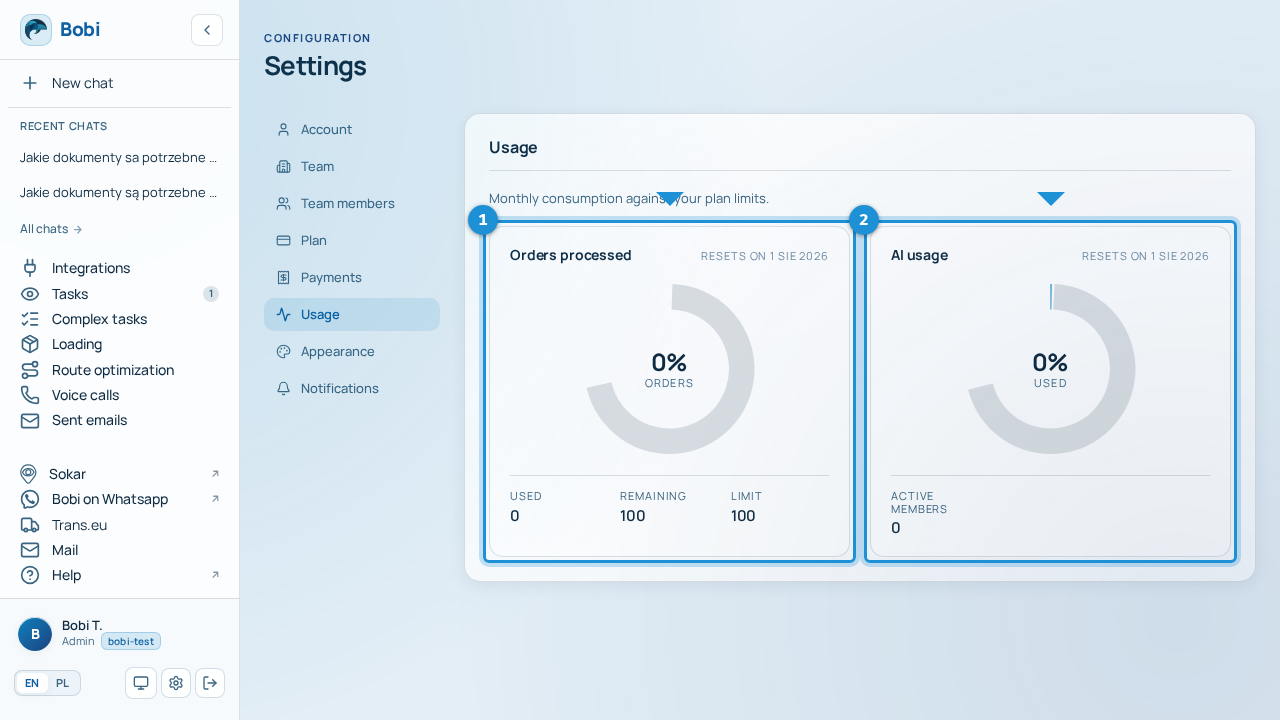
In Settings → Usage you see your account's monthly usage against your plan limits. The counter resets every month — the next reset date is shown by the “Resets on …” label. That way you know how much you can still use in the current period and when everything goes back to the full allowance.
Two indicators#
| Indicator | What it shows |
|---|---|
| Orders processed | How many orders Bobi handled this month against your plan limit. A plan may have no limit set — in that case the counter does not restrict work. |
| AI usage | How much AI power the whole team used this month. The number of active members is also taken into account. |
As you approach a limit
When usage reaches around 80% of a limit, the indicator warns you with colour. Once you go over, you'll see the “Over the limit” message. That's a good moment to consider a higher plan.
What counts toward a limit#
The two indicators are counted separately:
- Orders handled by Bobi count toward the orders processed limit.
- AI conversations and analyses count toward AI usage — which is why it grows with the activity of all team members.
When you need higher limits, change your plan in .