
Connect Trans.eu
Once your Trans.eu account is connected, Bobi publishes your loads and syncs freight offers directly from the Trans.eu platform. You set the connection up once by signing in to your Trans.eu account — Bobi then acts on your behalf, always after your confirmation.
How to connect#
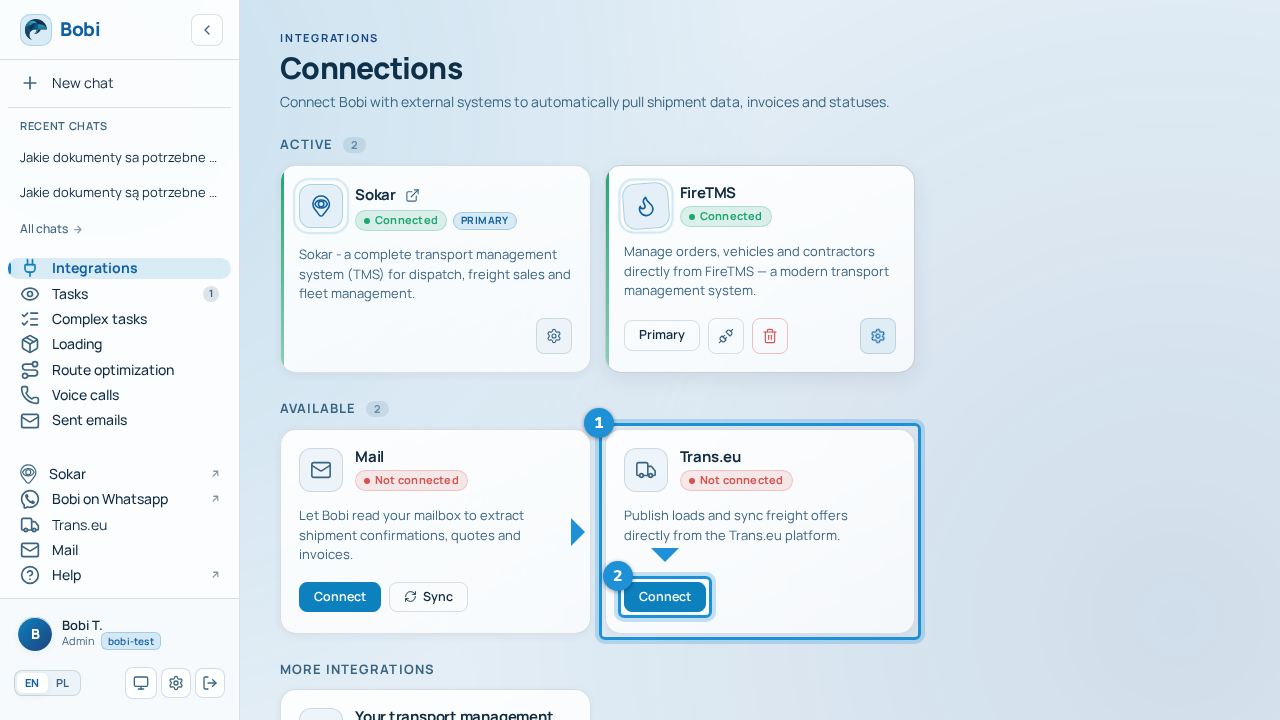
- Sign in to Trans.euYou'll be redirected to Trans.eu (
auth.platform.trans.eu) — sign in and grant access so Bobi can work. - Return to IntegrationsAfter you return, the „Trans.eu” card shows your user number and company in Trans.eu — that means the connection is working.
The sign-in link takes you to auth.platform.trans.eu, and the return address
shows a Sokar domain. That's expected — after you sign in, Sokar is the
return page that stores your token. There's nothing you need to do about it.
What Bobi can do with Trans.eu#
With the connection in place, Bobi:
- publishes your offers on Trans.eu when you create a transport offer,
- automatically refreshes a published offer every 15 minutes to keep it at the top of the list,
- checks the publication status and re-publishes the offer when needed.
Every such action happens only after your confirmation — Bobi shows a summary and waits for your approval as part of Tasks or in chat.
Publishing to Timocom is still being integrated and isn't available yet. Bobi publishes offers to supported exchanges — today that's Trans.eu.
How to disconnect#
Go to , click „Disconnect” on the „Trans.eu” card and confirm. Bobi will then stop syncing freight offers on Trans.eu.