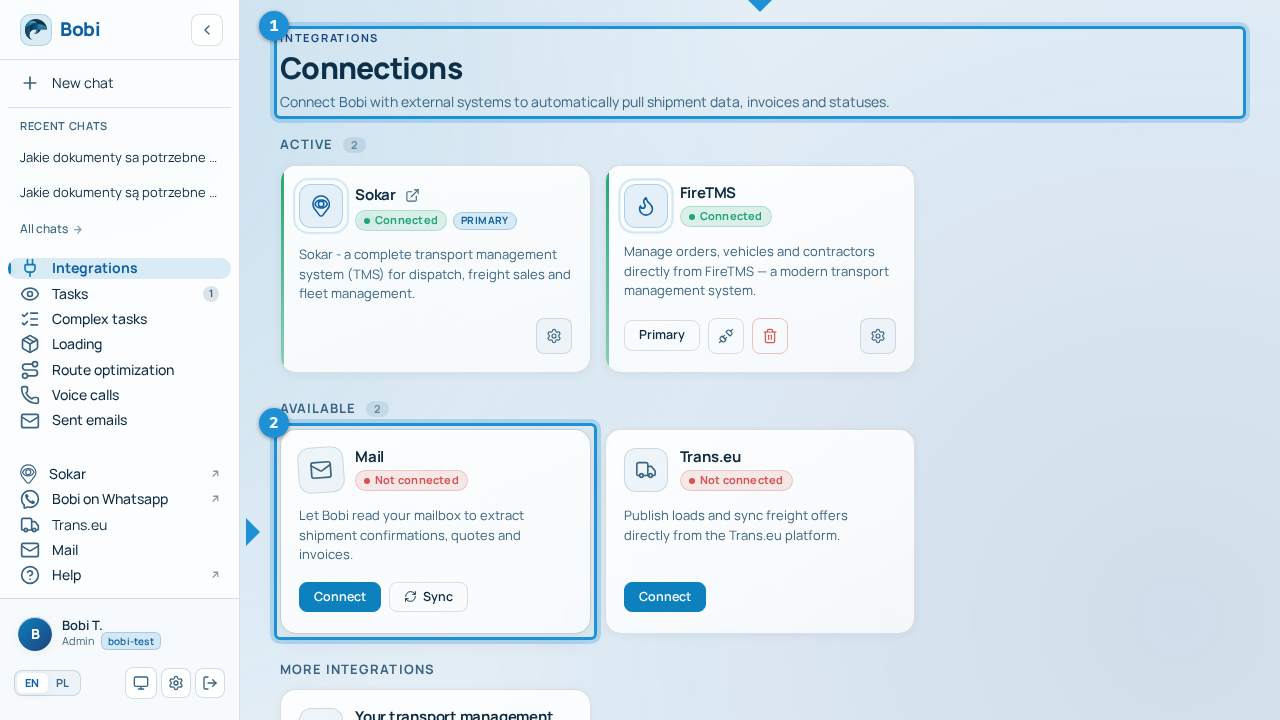
Integrations — connect Bobi to your systems
Integrations connect Bobi to the systems you work in every day — your mailbox and your freight systems. With them Bobi pulls shipment, offer and invoice data on its own and acts on your behalf, instead of asking you to copy information over by hand. The more you connect, the more Bobi sees and the more it can do for you.
Active and available#
Integrations fall into two groups. Active ones are already connected — Bobi uses them right away. Available ones are those you can connect at any time. Sokar may be active from the start if you have a freight account; the mailbox, FireTMS and Trans.eu you connect yourself.
The four integrations#
| Integration | What it does |
|---|---|
| Bobi reads and sends emails — shipment confirmations, offers and invoices. | |
| Sokar | Your freight system (TMS): loads, statuses and the exchange, read-only in your profile. |
| FireTMS | A modern freight system: orders, vehicles and contractors. |
| Trans.eu | Publishing loads and syncing freight offers. |
Sokar and FireTMS — one is the „Primary”
Sokar and FireTMS are freight systems. One of them is marked as the Primary — that's where Bobi creates and edits orders. We cover the choice under the FireTMS integration below.
Pick an integration#
Mail
Connect your mailbox so Bobi reads and sends emails on your behalf.
Sokar
Connect Bobi to your Sokar freight system.
FireTMS
Connect FireTMS: orders, vehicles and contractors.
Trans.eu
Publish loads and sync freight offers.