
Sokar — your transport management system
Sokar is a complete transport management system (TMS) for dispatch, freight sales and fleet management — and it's already built into your Bobi account. That means Bobi can see your loads, their statuses and the exchange from the start, with no manual copy-pasting.
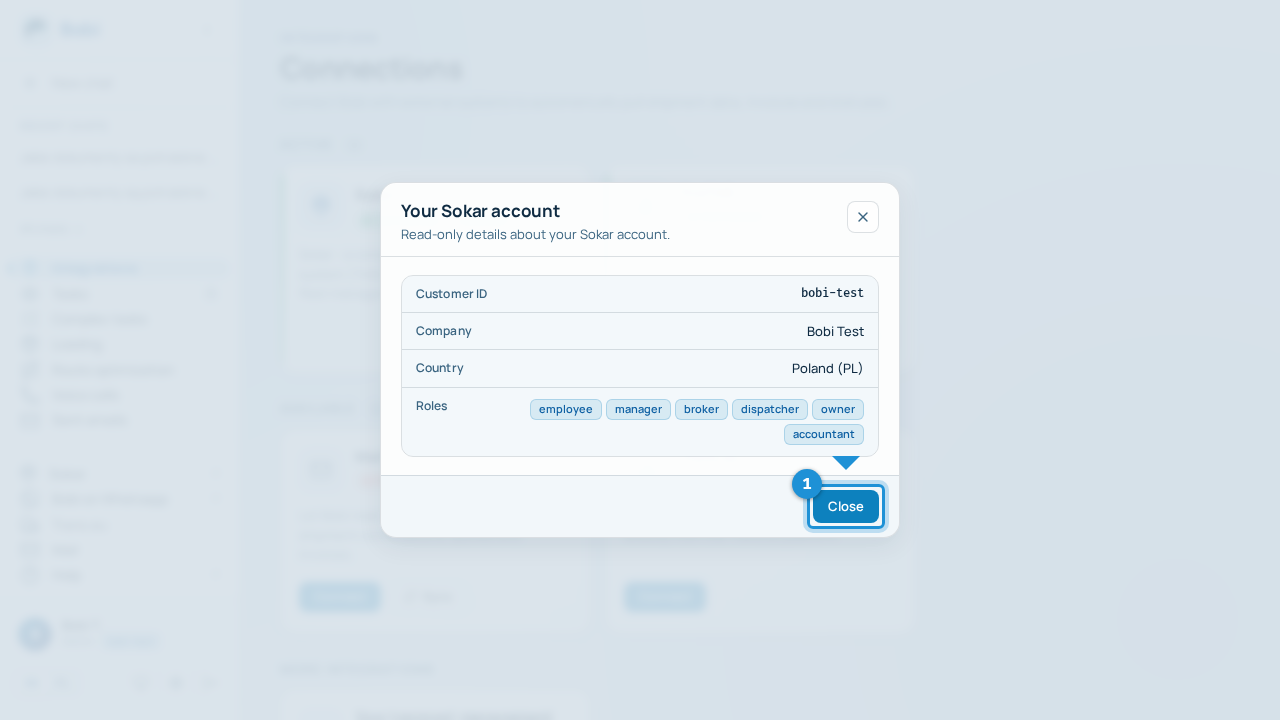
Sokar is active together with your account — there's no form or “Connect” button here. The Sokar window shows read-only details about your account.
What you see in the Sokar window#
- Check your account detailsYou'll see the customer ID, company, country and roles assigned to your account — all read-only, nothing to change here.
- Go to the Sokar panelThe “Open Sokar” button takes you to the full Sokar panel in a new tab.
What Bobi draws from Sokar#
Through Sokar, Bobi has a view of your loads and their statuses, access to the freight exchange, email synchronisation and fleet data. Any writes — creating or editing orders and offers — always go through a proposal that you approve.
By default Sokar is your Primary transport management system — the one where Bobi creates and edits orders. You can switch to FireTMS (the exchange and email sync then stay on Sokar).
Problems?#
If you can't see your account details or a permission is missing, the “Problems and permissions” page will help.