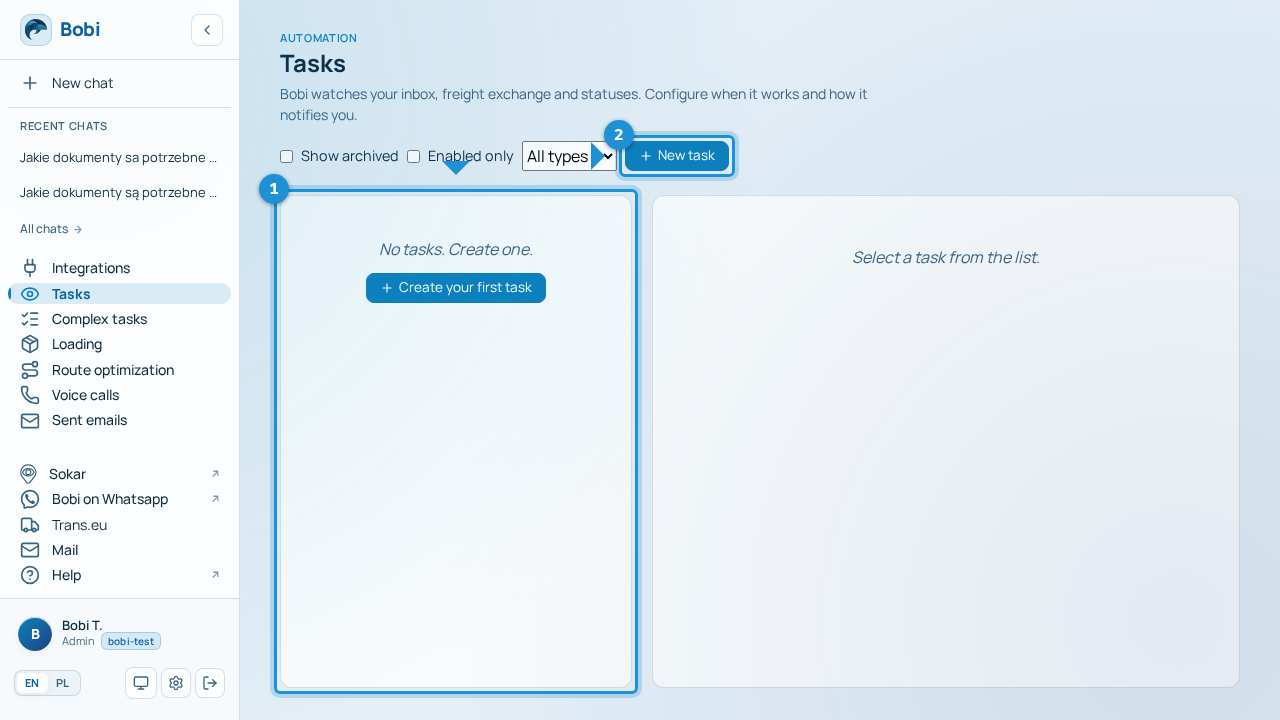
What tasks are and how to create your first
A task is recurring work that Bobi does on its own by a set rule — without you asking each time. You describe once when it should run and what it should do, and Bobi takes care of the rest in a separate thread. Everyday dispatcher examples: a reminder about a missing POD, a morning daily report, or a reaction to an incoming email from a carrier.
Every task runs in one of two modes: it either proposes a result and waits for your approval, or acts on the agreed step on its own. By default Bobi proposes — it won't send or change anything without your go-ahead.
The three trigger types#
A trigger is the rule that decides when Bobi picks up the task.
| Trigger | When Bobi runs |
|---|---|
| Schedule | At a fixed time or every set interval — e.g. daily at 9:00 or every 30 minutes. |
| Event | When something happens — e.g. a new email arrives or a matching load appears on the exchange. |
| One-off | Once, at a specific date and time. |
Schedules are covered in detail on a separate page.
Create your first task#
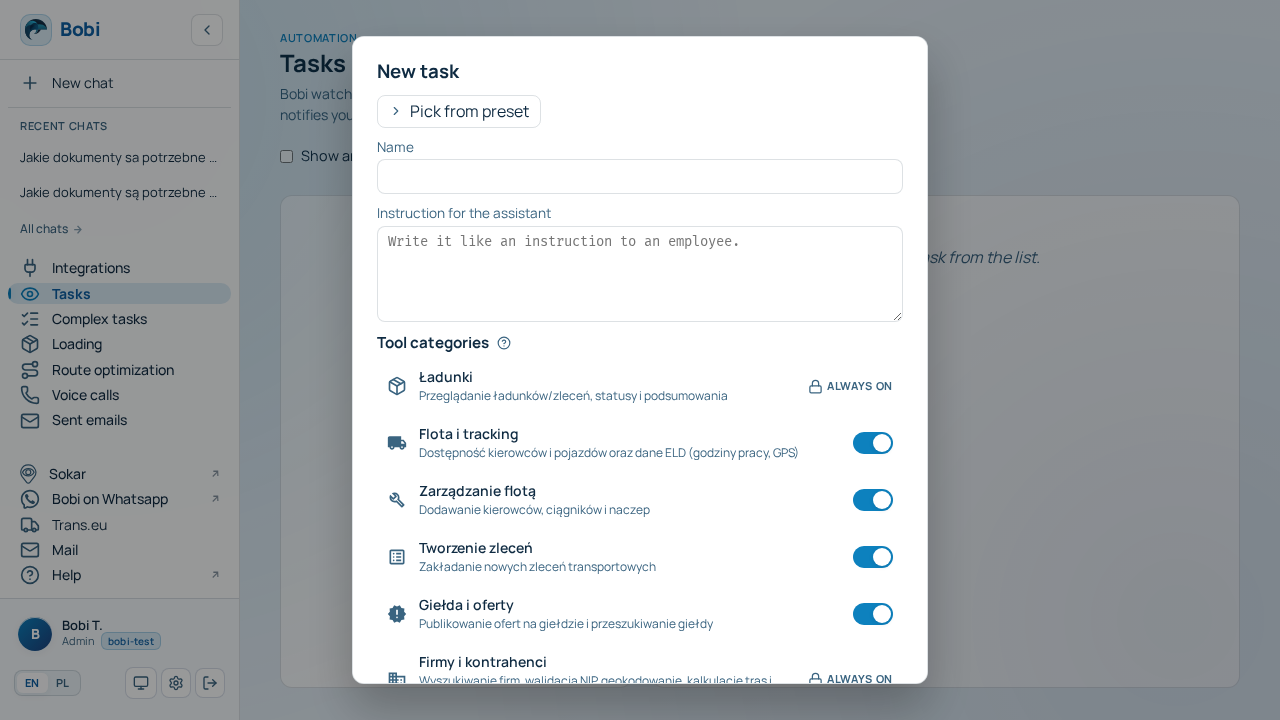
- Name and describe itGive the task a name and, in the prompt field, write the instruction — what Bobi should do.
- Choose a triggerIn the “When to run” field pick a schedule, an event, or a one-off time.
- Decide the modeSet the “Ask before acting (recommended)” toggle — whether Bobi should propose first or act on its own.
- SaveSubmit the form. From now on the task is active and waits for its trigger.
Start from a preset#
You don't have to start from a blank page. Bobi has a catalog of ready-made tasks you clone and adapt — pick a preset, change the name and prompt to fit your situation, and the rest is already set up. You'll find, among others, “POD follow-up” (a reminder about missing documents) and “Daily summary” (a morning report).