How to write a good task prompt
A prompt is the instruction you type into a task — a description of what Bobi should do every time the task runs. It's the most important part of a task: a good prompt makes Bobi do exactly what you mean, a bad one leaves it spinning in place or proposing the wrong thing.
What a good instruction is made of#
An effective prompt answers three questions — ideally in this order:
- Goal — what should happen, in one sentence (e.g. “remind the carrier about a missing document”).
- Context — on what data and by what criteria Bobi should act (e.g. “loads delivered more than 24 hours ago that still have no POD”).
- Output format — what Bobi should do with the result: propose an email, make a call, or just remind you.
Bad versus good#
The same goal can be described as a vague brief or as a concrete one. Compare:
Be helpful and take care of my orders.Check loads delivered more than 24h ago with no POD and send a follow-up to the carrier.Proven examples#
Two prompts that work in practice — copy them and adapt to your own situation.
A missing-POD reminder — on weekday mornings Bobi finds delivered loads without the document and proposes a follow-up:
Check loads delivered more than 24h ago with no POD and send a follow-up to the carrier.Run on a schedule on weekdays at 9:00, in “ask before acting” mode — Bobi prepares the emails and waits for your approval before sending anything.
A call to the driver on an overdue order — Bobi proposes a voice call when an order is past its deadline:
Propose making a voice call to the driver when an order is overdue.Variables in prompts#
Instead of hard-coding a specific date, use a variable — Bobi substitutes the right value the moment the task runs. That way the same prompt works correctly every day.
| Variable | Meaning |
|---|---|
$TODAY | Today's date |
$YESTERDAY | Yesterday's date |
$TOMORROW | Tomorrow's date |
$NOW | The current moment (date and time) |
$THIS_WEEK | Start of the current week |
$LAST_WEEK | Start of the previous week |
Example usage:
Prepare a summary of orders with a planned unloading date of $TODAY.What Bobi can touch#
In “ask before acting” mode Bobi has read access to your data — it can look into loads, companies, documents and emails to gather what it needs. Every change that goes outward — sending an email, calling a driver, changing a status — comes to you first as a proposal and waits for approval. So don't promise in the prompt things the task can't carry out on its own without your go-ahead.
Where to type the prompt#
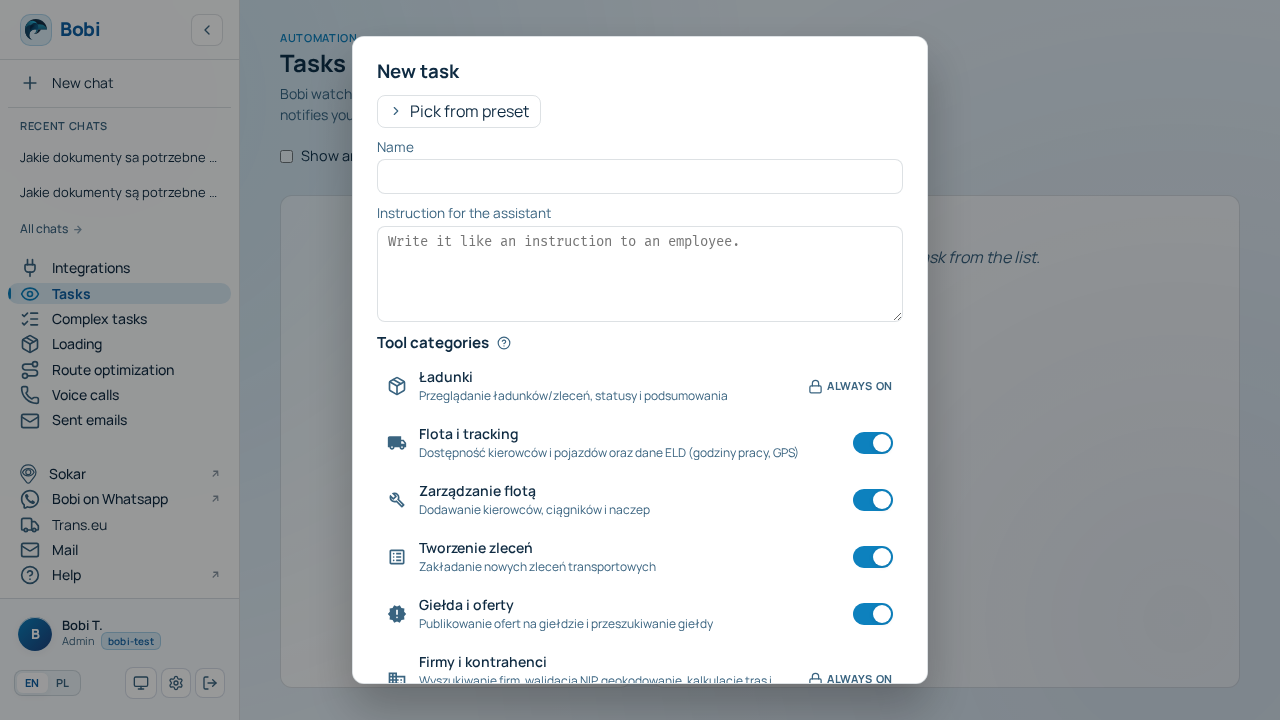
Open the and type your instruction into the prompt field — the large text box below the task name.